Your room. Your brand. Your student.
The platform where private teachers and language schools teach online without becoming catalog items in a marketplace. Live room with collaborative whiteboard, automatic AI post-class, schedule and finance, all with your brand.
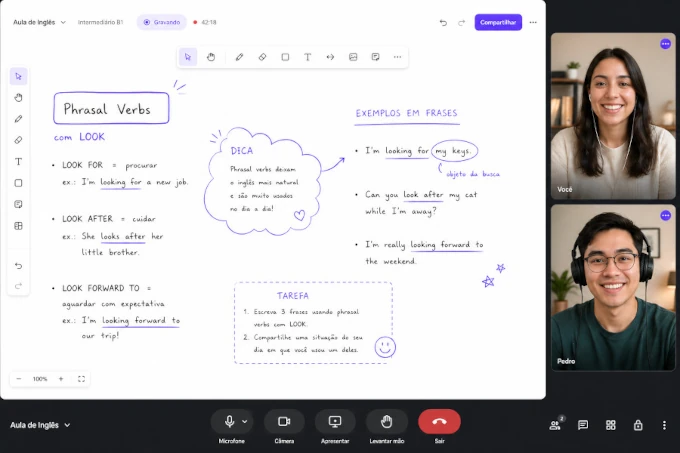 live · 47:12
It's not videoconferencing. It's a classroom.
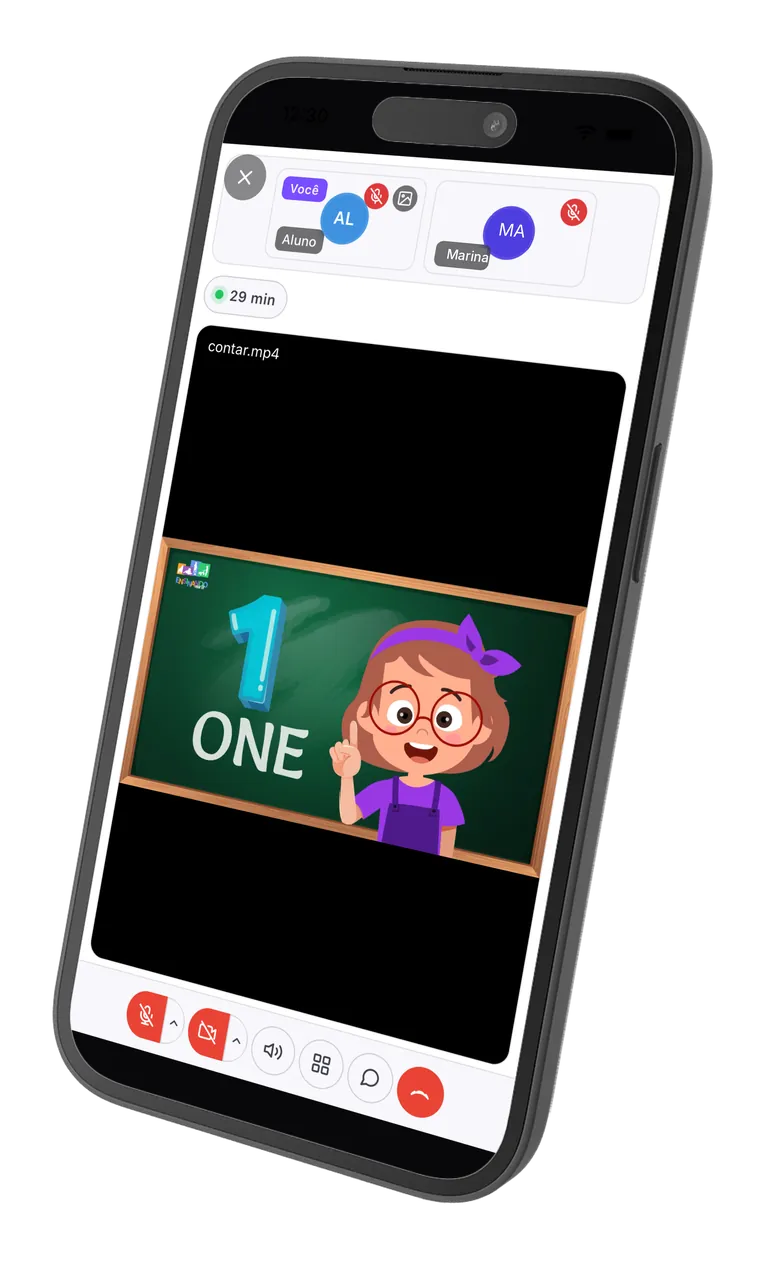
Collaborative whiteboard, Canva slides inside the class, imported PDFs, video and screen sharing. The student isn't watching passively: they draw with you, mark answers, write on top of the material you brought.
Real-time collaborative whiteboard.
You draw, write, build an exercise; the student writes with you on the same screen. No 'send me the board link', no separate app.
Canva slide straight in the room.
Import your Canva design's link and the slide becomes part of the whiteboard. No tab switching, no fuzzy screen share, no 'can you see this?' every minute.
PDF and material on the board.
Drag the class PDF onto the whiteboard and the student marks, draws and answers on top. The exercise happens inside the room, not somewhere else.
Video, screen share and chat.
The basics done right, on the browser, nothing to install. Works on the student's phone, tablet and laptop.
You teach in here. And the board is yours.
This is the room that replaces Google Meet or Zoom: collaborative board, participants, chat and the class review within reach. Scribble on the board below to feel how it works.
This is the real board: you can write, draw and erase right here. Nothing is saved.
AI post-class.
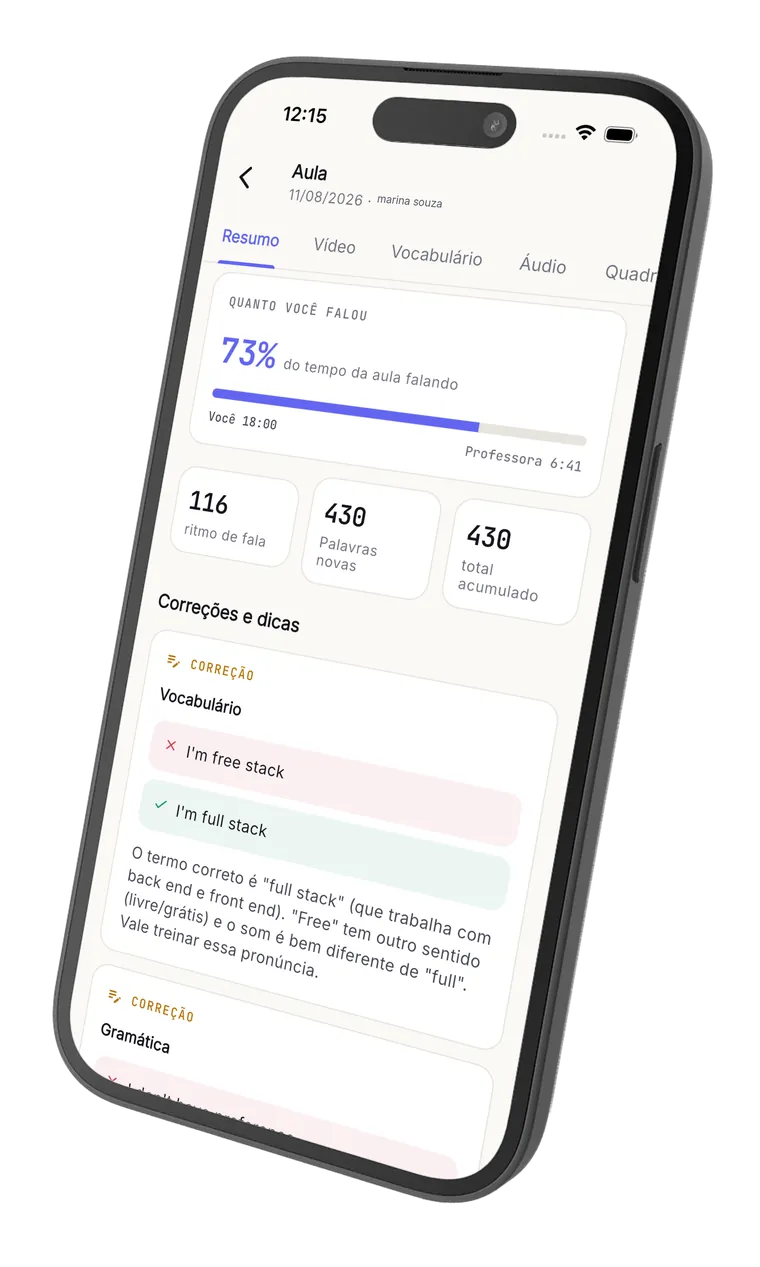
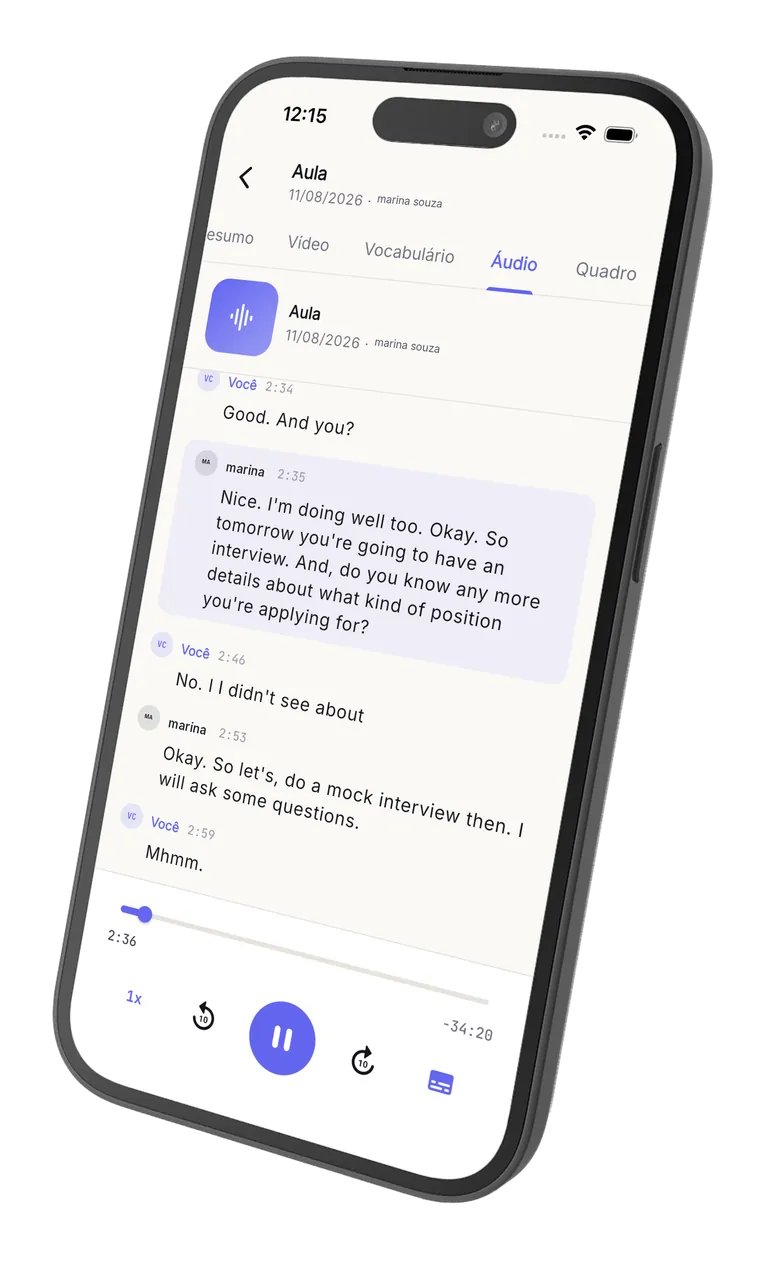
Right after class ends, the student opens their space and finds: the recorded video with synced subtitles, the full transcript identifying who said each turn, stats about their own speech and AI corrections with explanations. That's how they review the class.
English with Pedro
Wednesday, April 30, 7:00 PM (8 min)
Transcript
So today we're going to talk about your last weekend. What did you do?
I goed to the beach with my family. The water was very cold.
Nice! Just a quick correction: it's "I went", not "I goed".
Ah claro, eu sempre esqueço esse.
I went to the beach. I want to go again next weekend.
Your English speech
Class topics
AI corrections
- GrammarI goed to the beach with my family.I went to the beach with my family.
The past of "to go" is irregular. "Goed" doesn't exist; the correct form is "went".
- VocabularyThe water was very cold.The water was freezing.
"Freezing" conveys very cold water better than "very cold". It sounds more natural to a native speaker.
Highlights
- A conversation is when two people talk and exchange ideas.
Clear, well-built definition — a complete and natural sentence.
- Fluency means speaking smoothly without too many pauses.
Great use of "smoothly" and "without too many pauses". Precise vocabulary.
This is not us talking. It is who uses the platform every day.

A practical and complete tool for online teachers. My students and I really like the review feature, and having a mobile version makes it easier for my students to open the content and the recordings more often.
From the live class to the post-class, with nothing to set up.
A quick walkthrough of the real screens: the class happens in the Noladi room and, when it ends, the student gets the recording, the transcript, the stats and the AI corrections.
Your brand. Your student.
Your money.
Create the account, set up your brand, add your first students. Your first 10 live class hours unlock right away, and the 30-day clock starts today. No card. No commitment.
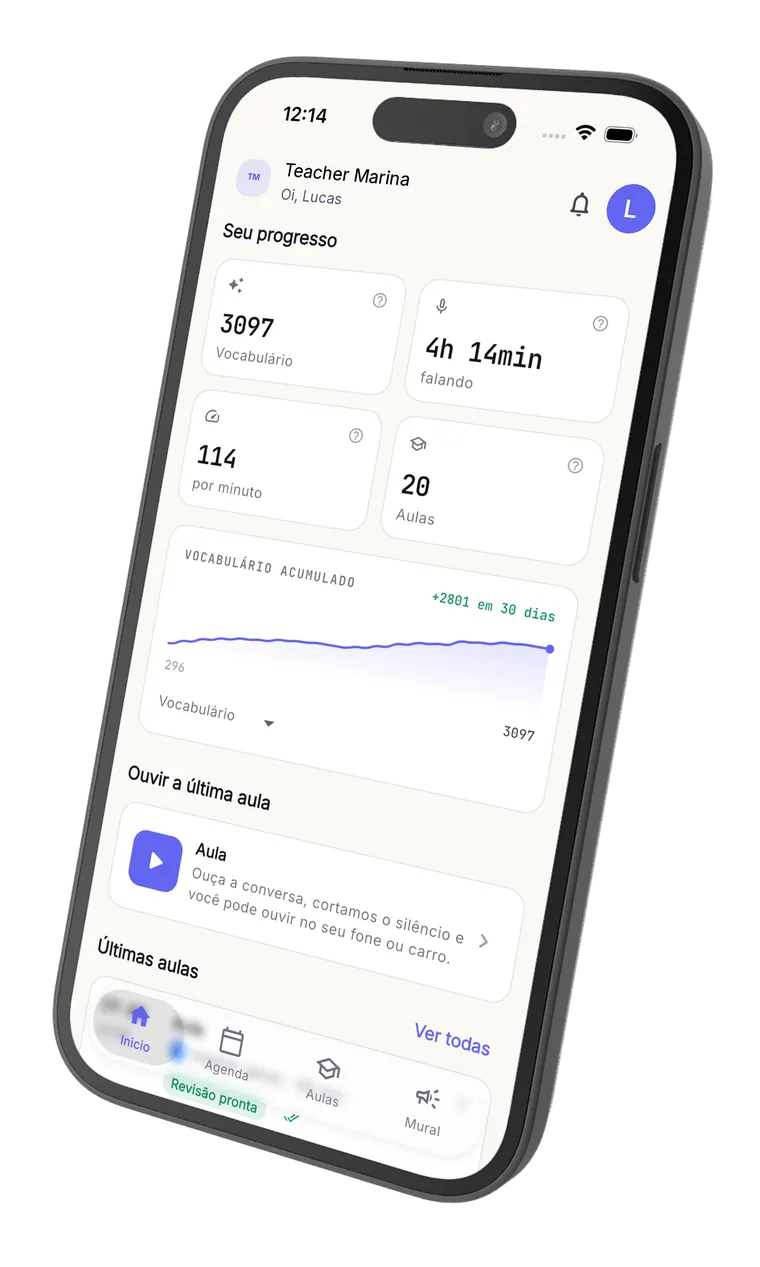
The lesson keeps going on your phone.
Download it for free and take the live room, the lesson review and the audio with you. Available for iPhone and Android.
Free to download. Teacher and student use the same app.