
Aprenda com um professor de verdade e leve a aula inteira com você.
Conte o que você quer aprender e a gente te apresenta a um professor da nossa rede. Cada aula é ao vivo, com quadro colaborativo, e depois volta pra você em gravação, transcrição, correções e métricas do seu progresso.
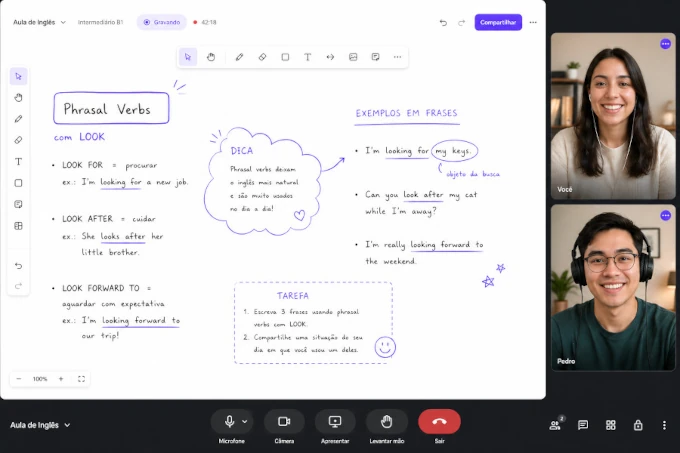 ao vivo · 47:12
Conte o que você quer aprender
Cada cadastro é analisado por uma pessoa, não por um algoritmo. Com o que você preencher aqui, procuramos na nossa rede o professor que combina com o seu objetivo, o seu nível e o seu horário.
- 01Você preenche o cadastro abaixo. Leva um minuto.
- 02Analisamos o seu perfil e selecionamos um professor que combine com ele.
- 03Vocês combinam a primeira aula direto, e a partir daí é com o professor.
Quatro coisas que aula no Meet ou no Zoom não te dá.
Não importa quem é seu professor. Se ele usa Noladi, depois de cada aula você abre o painel e encontra tudo isso, sem ele precisar mandar nada por WhatsApp.
Gravação completa, com legenda.
A aula inteira gravada, pronta pra rever. Você volta naquele minuto onde travou e relê exatamente o que conversaram. Sem assistir 50min de novo.
Transcrição falante-por-falante.
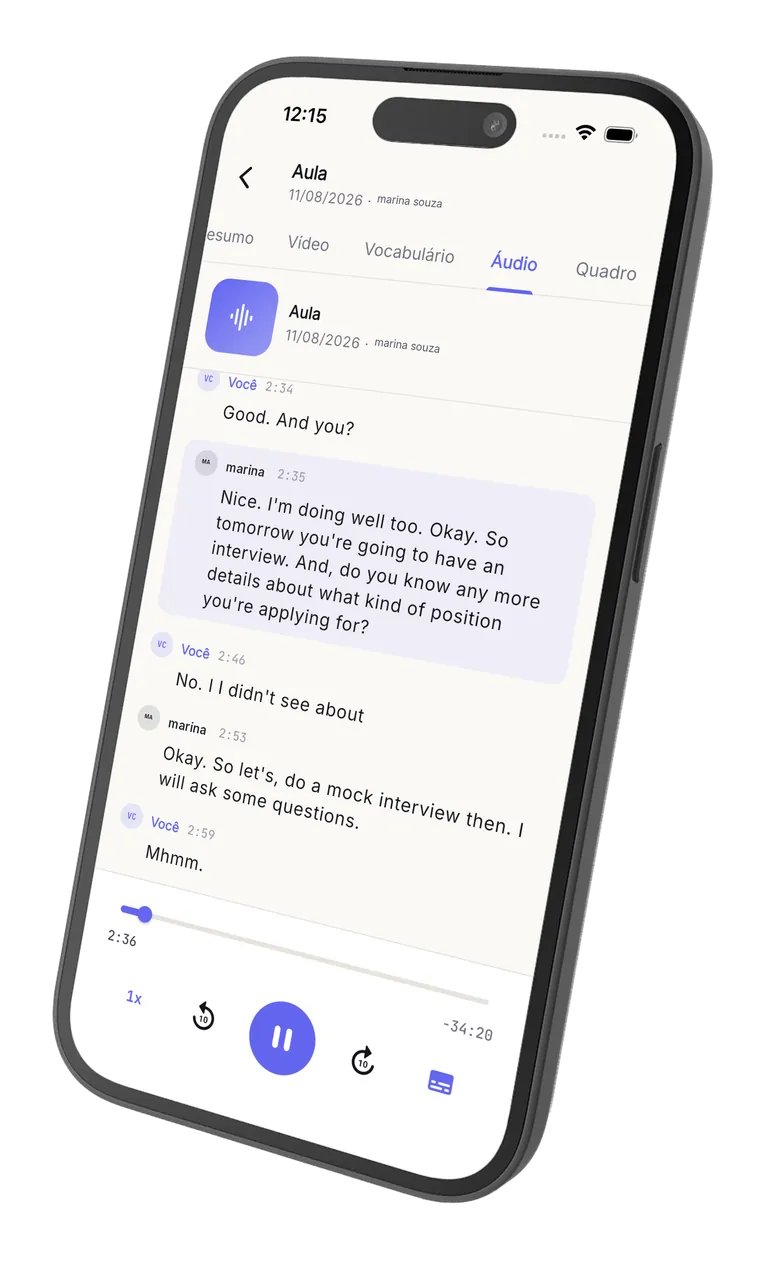
Cada fala marcada com timestamp, separada por quem disse o quê. Clica num turno e o vídeo pula direto pra ele.
Vocabulário novo, classificado.
A IA marca palavras que você usou pela primeira vez, com classe gramatical e exemplo em contexto. Vocabulário acumulado desde a primeira aula.
Métricas de fala, aula a aula.
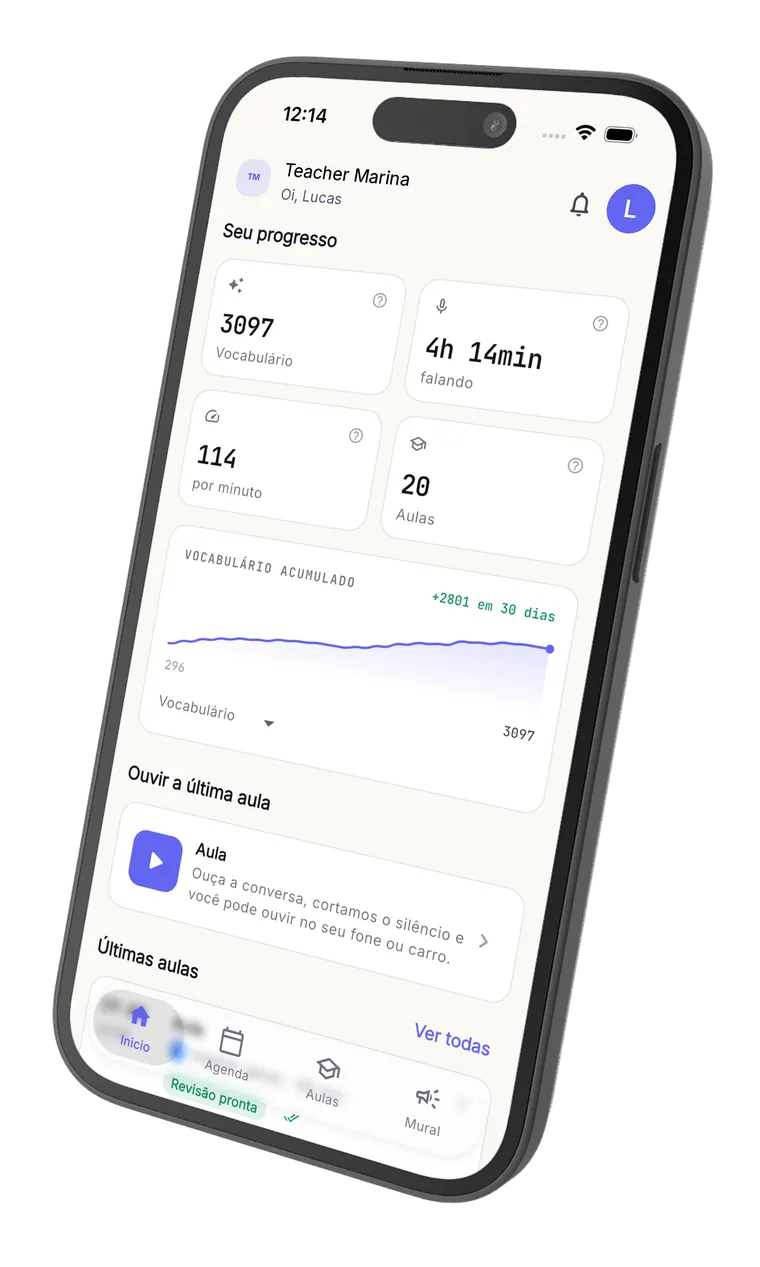
Quanto tempo você falou, palavras por minuto, progresso desde o começo. Você vê a evolução de verdade, não só uma sensação.
Você não fica olhando passivo. Você escreve junto.
O quadro colaborativo deixa você desenhar, escrever e marcar resposta na mesma tela que o professor. Slide do Canva, PDF, atividade: tudo dentro da sala, sem trocar de app.
Você escreve no mesmo quadro.
Não é só assistir. Você responde atividade rabiscando, marca palavras, escreve resposta. Em tempo real.
Slides do Canva e PDF dentro da sala.
O professor importa o material e você marca em cima. Sem 'abre tal link', sem 'me passa o PDF', sem trocar de aba.
Vídeo, screen share e chat.
O básico bem feito, pelo navegador, no celular ou notebook. Você abre o link do seu professor e tá na aula.
Tudo fica gravado.
Quando a aula termina, ela vira material pra você revisar a qualquer momento, junto com a transcrição e o vocabulário novo.
Você não fica olhando. Você escreve junto.
É esta a sala em que sua aula acontece: o professor escreve, você escreve, e tudo fica gravado pra você rever depois. Experimente o quadro abaixo, ele é o mesmo da aula.
Este é o quadro de verdade: pode escrever, desenhar e apagar aqui mesmo. Nada é salvo.
Pós-aula com IA.
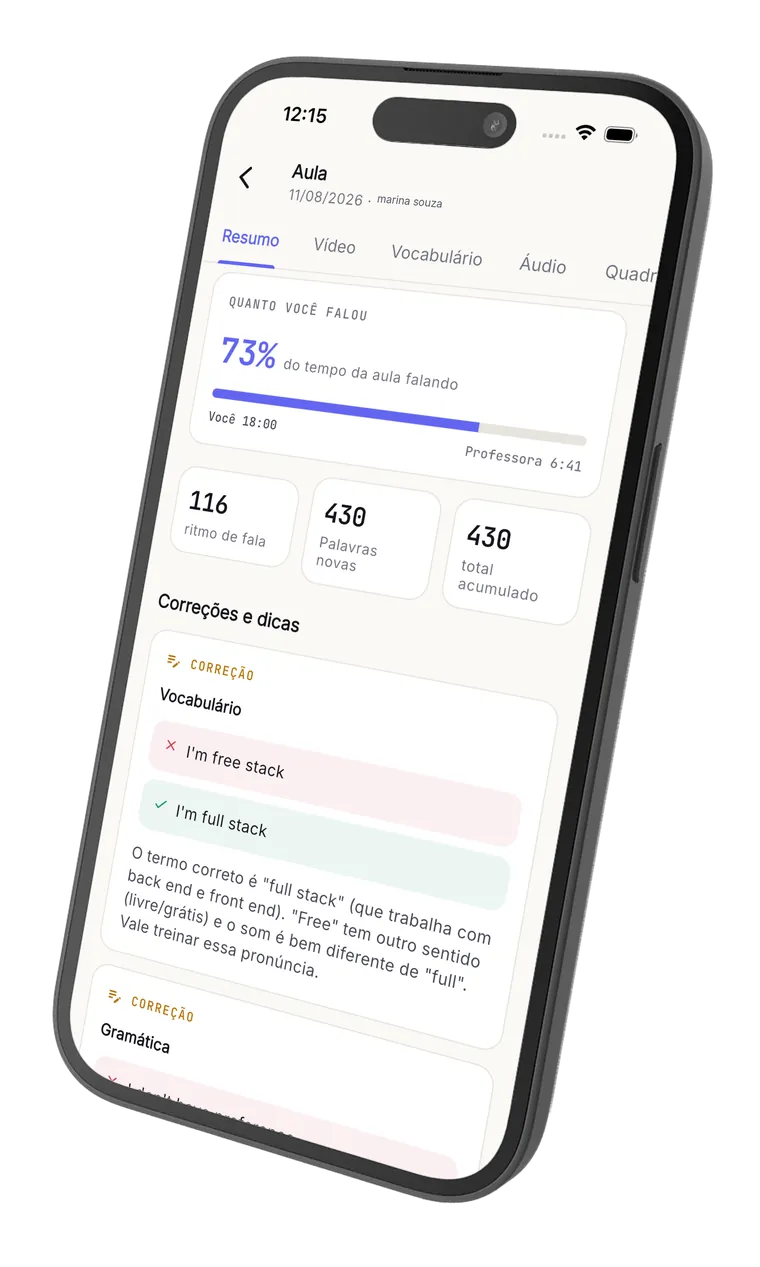
Logo depois que a aula termina, o aluno entra no espaço dele e encontra: o vídeo gravado com legendas sincronizadas, a transcrição completa identificando quem falou cada turno, as estatísticas da própria fala e as correções da IA com explicação. É assim que ele revê a aula.
Inglês com Pedro
Quarta, 30 de abril, 19:00 (08 min)
Transcrição
So today we're going to talk about your last weekend. What did you do?
I goed to the beach with my family. The water was very cold.
Nice! Just a quick correction: it's "I went", not "I goed".
Ah claro, eu sempre esqueço esse.
I went to the beach. I want to go again next weekend.
Sua fala em inglês
Temas da aula
Correções da IA
- GramáticaI goed to the beach with my family.I went to the beach with my family.
O passado de "to go" é irregular. "Goed" não existe; o correto é "went".
- VocabulárioThe water was very cold.The water was freezing.
"Freezing" passa melhor a ideia de água muito fria do que "very cold". Soa mais natural pra um falante nativo.
Destaques
- A conversation is when two people talk and exchange ideas.
Definição clara e bem construída — frase completa e natural.
- Fluency means speaking smoothly without too many pauses.
Ótimo uso de "smoothly" e "without too many pauses". Vocabulário preciso.
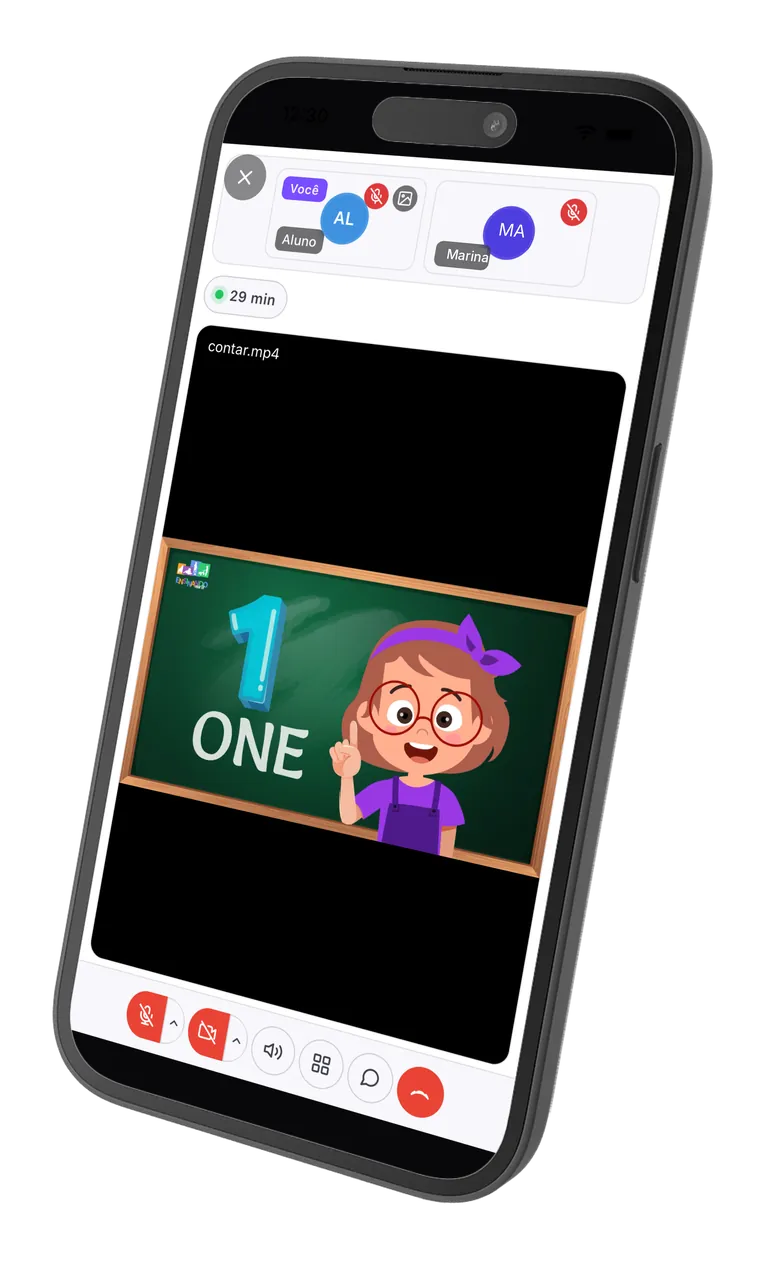
A aula continua no celular.
Baixe de graça e leve a sala ao vivo, a revisão e o áudio da aula no bolso. Disponível para iPhone e Android.
Grátis para baixar. Professor e aluno usam o mesmo app.
Não somos nós dizendo. É quem usa a plataforma no dia a dia.

Uma ferramenta prática e completa para professores online. Eu e meus alunos gostamos muito da funcionalidade de revisão, e o fato de ter versão mobile facilita os meus alunos a acessarem o conteúdo e as gravações com maior frequência.
Da sala ao vivo ao pós-aula, sem montar nada.
Um passeio rápido pelas telas reais: a aula acontece na sala do Noladi e, quando termina, o aluno recebe o vídeo, a transcrição, as estatísticas e as correções da IA.
Não somos uma marketplace. O professor não é nosso.
Diferente de plataformas como Cambly, Preply e iTalki, a gente não fica entre você e seu professor. Quem te ensina é quem você escolheu, com a marca dele, no preço dele. A gente só roda a infraestrutura.
Você não compra aula da gente.
Você compra do seu professor (ou da escola dele). Direto. Mensalidade, pacote, aula avulsa, é com ele. A gente não toca no seu dinheiro nem comissiona.
Se ele sair, você sai com ele.
Não somos plataforma onde a rede é da gente. O aluno é do professor; ele leva o histórico se decidir migrar. Sem trava, sem preferência, sem algoritmo.
Pelo navegador. Em qualquer dispositivo.
Sem app pra baixar, sem 'instale o cliente', sem 'sua versão é antiga'. Abre o link do seu professor no celular ou notebook e tá na aula.
Antes de você começar.
Não. Quem assina o Noladi é o professor (ou a escola). Você só recebe a parte boa: gravação, transcrição, vocabulário e progresso depois de cada aula, pelo navegador, com a marca dele.
Sim. Você acessa a sala e o painel pelo navegador do celular, tablet ou notebook. Sem app pra baixar. Se você já abre WhatsApp Web, abre o Noladi.
A gravação fica privada no painel: você acessa pelo seu login e o seu professor pelo dele. Ninguém de fora vê. Como você vai usar a gravação pra estudar, faz sentido ela existir.
Clica no botão 'Compartilhar com meu professor' acima. Ele abre o e-mail pré-preenchido pra você só preencher o destinatário e mandar. Ou copia o link https://noladi.app/teacher e manda no WhatsApp.
Deixe seu contato
e a gente te apresenta um professor.
Conte o que você quer aprender e a gente encontra o professor certo pra você. Quem entra em contato é uma pessoa, não um robô.
