
Learn with a real teacher and take the whole class with you.
Tell us what you want to learn and we introduce you to a teacher from our network. Every class is live, with a collaborative board, and comes back to you as a recording, transcript, corrections and metrics of your progress.
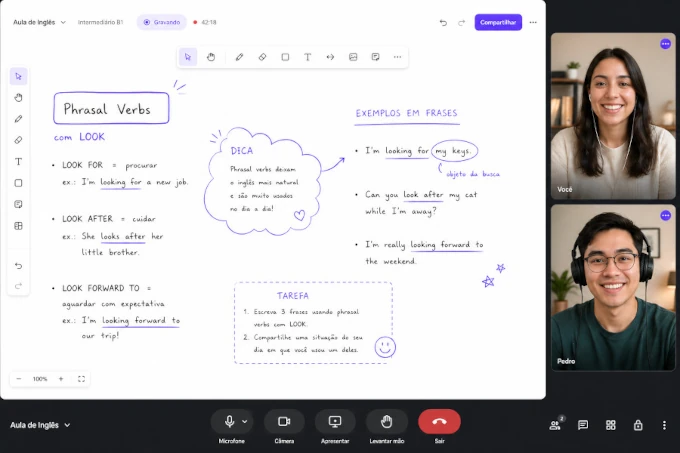 live · 47:12
Tell us what you want to learn
Every sign up is reviewed by a person, not by an algorithm. With what you fill in here we look through our network for the teacher who fits your goal, your level and your schedule.
- 01You fill in the form below. It takes a minute.
- 02We review your profile and pick a teacher who fits it.
- 03You two set up the first class, and from there it is with the teacher.
Four things a class on Meet or Zoom doesn't give you.
It doesn't matter who your teacher is. If they use Noladi, after every class you open the dashboard and find all of this, without them having to send anything by WhatsApp.
Full recording with captions.
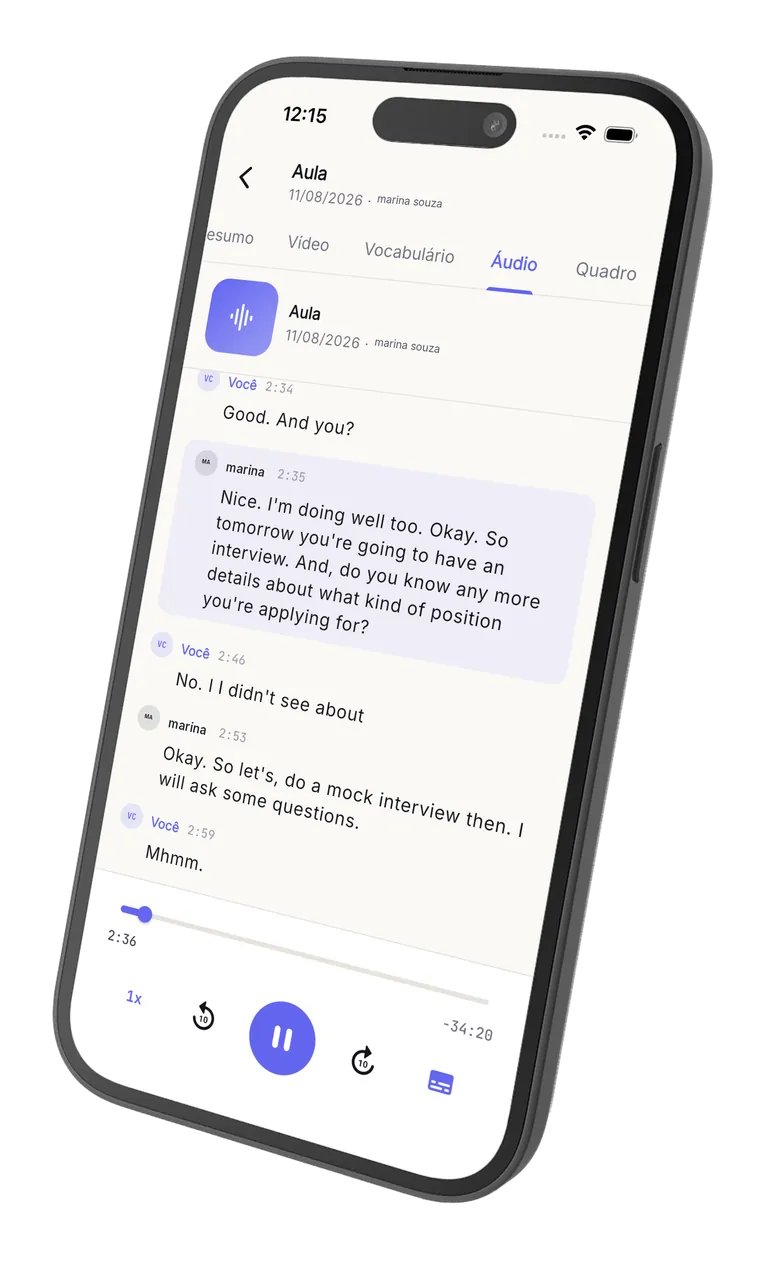
The whole class recorded, ready to review. You go back to that minute where you got stuck and reread exactly what was said. No watching 50 minutes again.
Speaker-by-speaker transcript.
Every line marked with a timestamp, separated by who said what. Click a turn and the video jumps straight to it.
New vocabulary, classified.
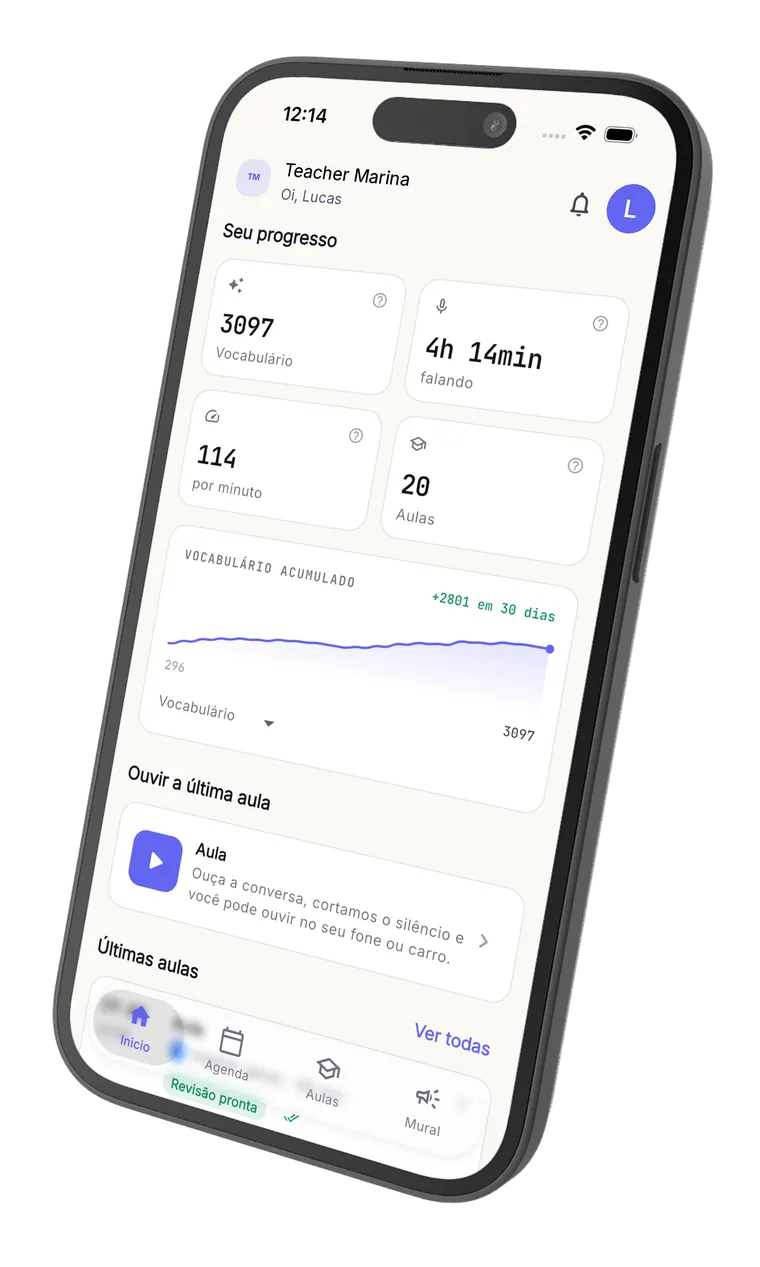
AI tags words you used for the first time, with grammar class and context example. Vocabulary accumulated since your first class.
Speech metrics, class after class.
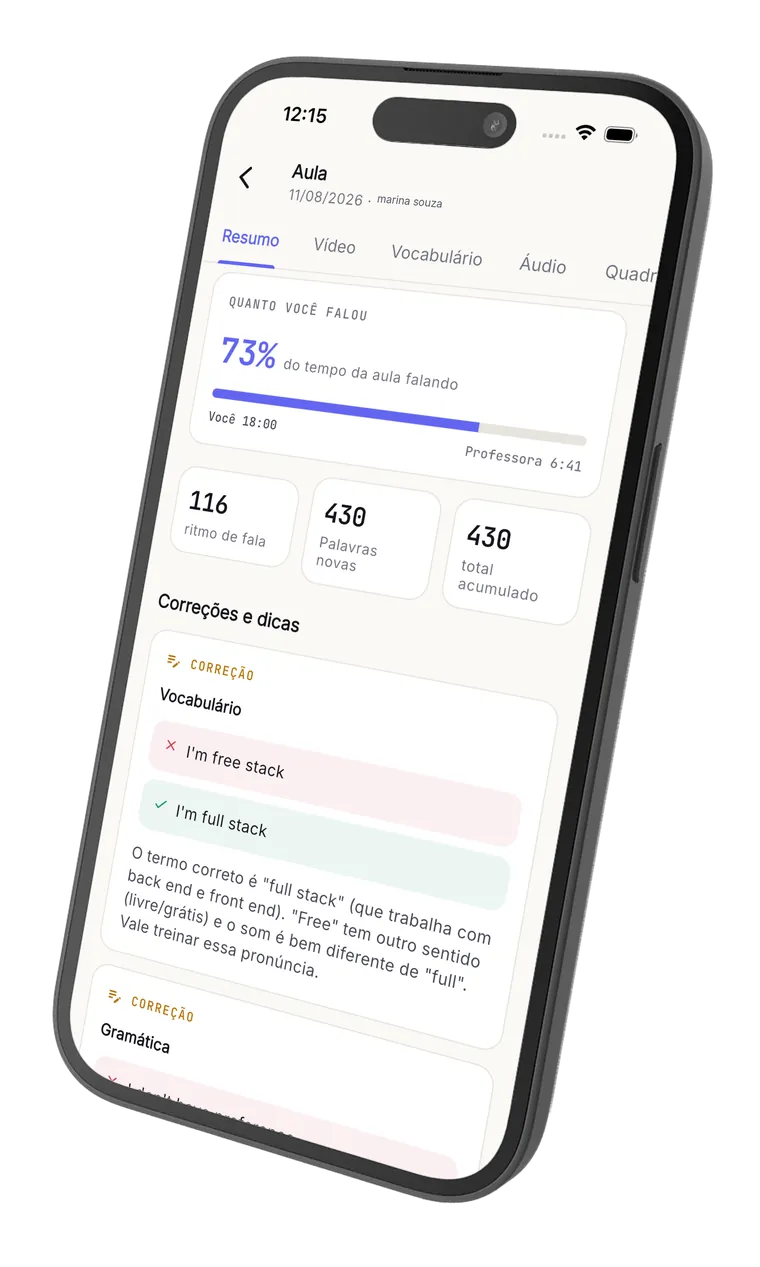
How much time you spoke, words per minute, progress since the start. You see real evolution, not just a feeling.
You're not just watching. You write together.
The collaborative whiteboard lets you draw, write and mark answers on the same screen as the teacher. Canva slide, PDF, exercise: everything inside the room, no tab switching.
You write on the same board.
Not just watching. You answer the exercise by drawing, mark words, write the response. Real-time.
Canva slides and PDFs inside the room.
The teacher imports the material and you mark on top. No 'open this link', no 'send me the PDF', no tab switching.
Video, screen share and chat.
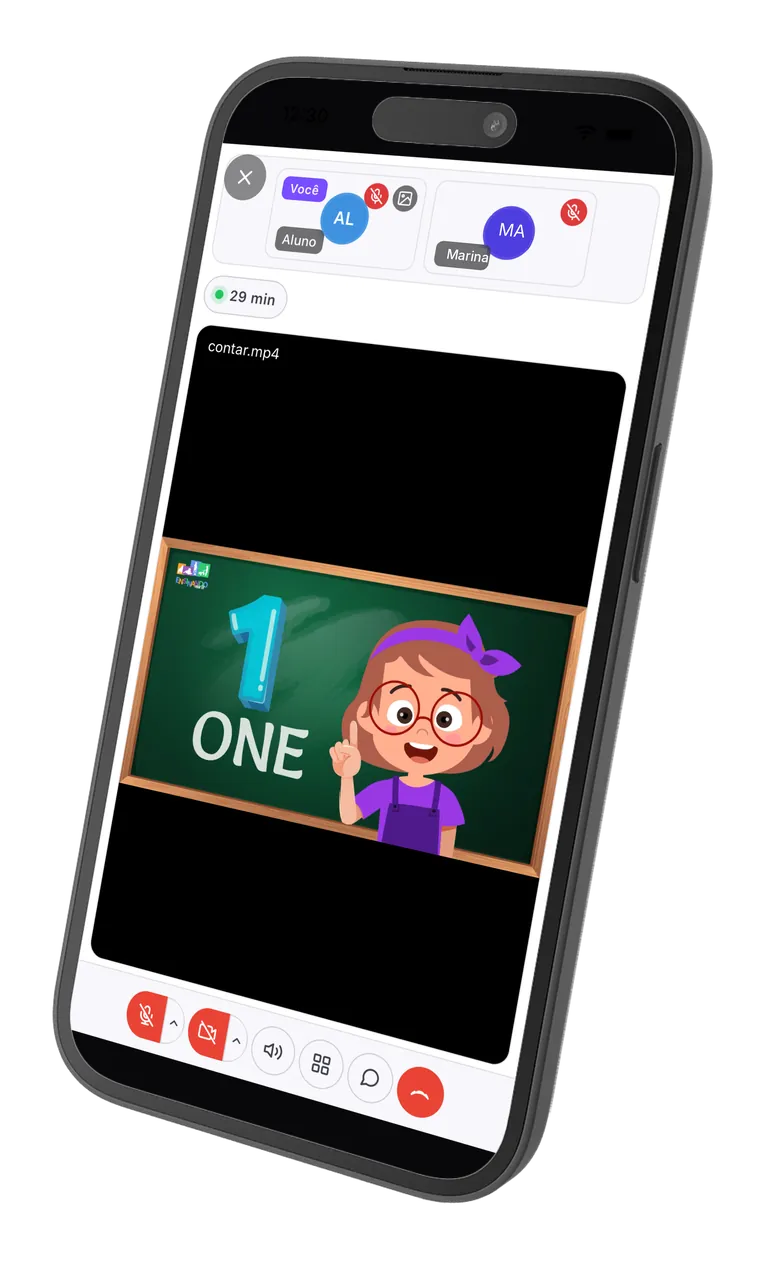
The basics done right, on the browser, on phone or laptop. You open your teacher's link and you're in class.
Everything gets recorded.
When class ends, it becomes material you can review anytime, together with the transcript and the new vocabulary.
You are not just watching. You write along.
This is the room where your class happens: the teacher writes, you write, and it all gets recorded for you to review later. Try the board below, it is the same one used in class.
This is the real board: you can write, draw and erase right here. Nothing is saved.
AI post-class.
Right after class ends, the student opens their space and finds: the recorded video with synced subtitles, the full transcript identifying who said each turn, stats about their own speech and AI corrections with explanations. That's how they review the class.
English with Pedro
Wednesday, April 30, 7:00 PM (8 min)
Transcript
So today we're going to talk about your last weekend. What did you do?
I goed to the beach with my family. The water was very cold.
Nice! Just a quick correction: it's "I went", not "I goed".
Ah claro, eu sempre esqueço esse.
I went to the beach. I want to go again next weekend.
Your English speech
Class topics
AI corrections
- GrammarI goed to the beach with my family.I went to the beach with my family.
The past of "to go" is irregular. "Goed" doesn't exist; the correct form is "went".
- VocabularyThe water was very cold.The water was freezing.
"Freezing" conveys very cold water better than "very cold". It sounds more natural to a native speaker.
Highlights
- A conversation is when two people talk and exchange ideas.
Clear, well-built definition — a complete and natural sentence.
- Fluency means speaking smoothly without too many pauses.
Great use of "smoothly" and "without too many pauses". Precise vocabulary.
The lesson keeps going on your phone.
Download it for free and take the live room, the lesson review and the audio with you. Available for iPhone and Android.
Free to download. Teacher and student use the same app.
This is not us talking. It is who uses the platform every day.

A practical and complete tool for online teachers. My students and I really like the review feature, and having a mobile version makes it easier for my students to open the content and the recordings more often.
From the live class to the post-class, with nothing to set up.
A quick walkthrough of the real screens: the class happens in the Noladi room and, when it ends, the student gets the recording, the transcript, the stats and the AI corrections.
We're not a marketplace. The teacher isn't ours.
Unlike platforms like Cambly, Preply and iTalki, we don't stand between you and your teacher. The one who teaches you is the one you chose, with their brand, at their price. We just run the infrastructure.
You don't buy class from us.
You buy from your teacher (or their school). Directly. Subscription, package, single class, it's with them. We don't touch your money and don't commission.
If they leave, you leave with them.
We're not a platform where the network is ours. The student is the teacher's; they take the history if they decide to migrate. No lock-in, no preference, no algorithm.
On the browser. On any device.
No app to download, no 'install the client', no 'your version is old'. Open your teacher's link on phone or laptop and you're in class.
Before you start.
No. The teacher (or school) subscribes to Noladi. You just get the good part: recording, transcript, vocabulary and progress after every class, on the browser, with their brand.
Yes. You access the room and the dashboard from your phone, tablet or laptop browser. No app to download. If you can open WhatsApp Web, you can open Noladi.
The recording stays private on the dashboard: you access it with your login and your teacher accesses with theirs. Nobody else sees it. Since you'll use the recording to study, it makes sense for it to exist.
Click the 'Share with my teacher' button above. It opens a pre-filled email for you to just add the recipient and send. Or copy the link https://noladi.app/teacher and send on WhatsApp.
Leave your contact
and we introduce you to a teacher.
Tell us what you want to learn and we find the right teacher for you. A person reaches out, not a bot.
